Sable International uses Papercut for printing documents around the Cape Town and London offices.
To add the Papercut printer to your login follow the steps below:
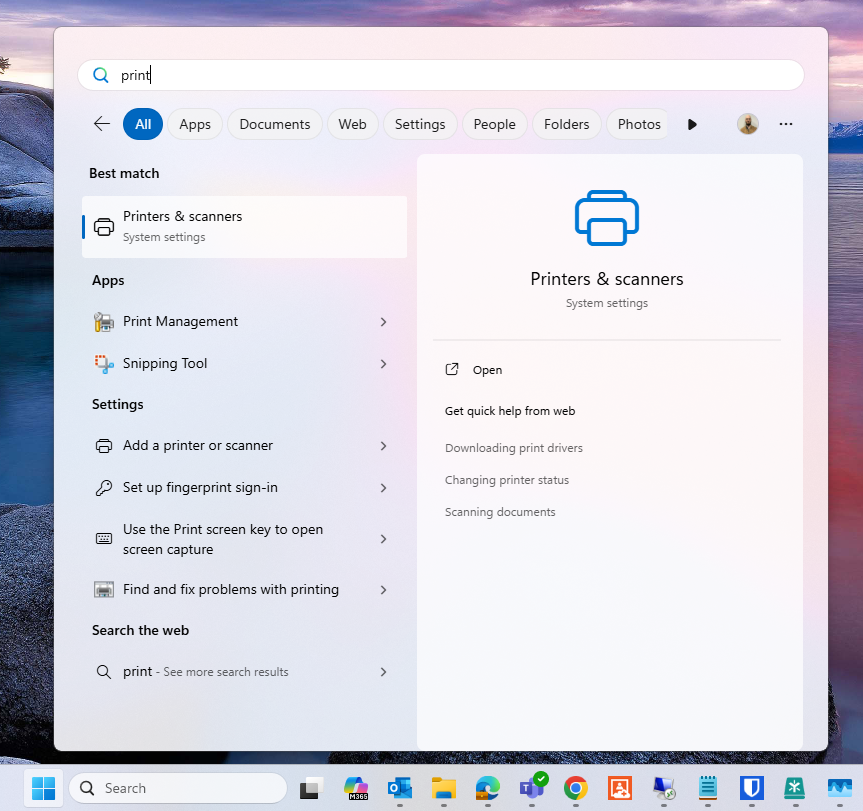
- Search for Printers & Scanners, launch the setting.
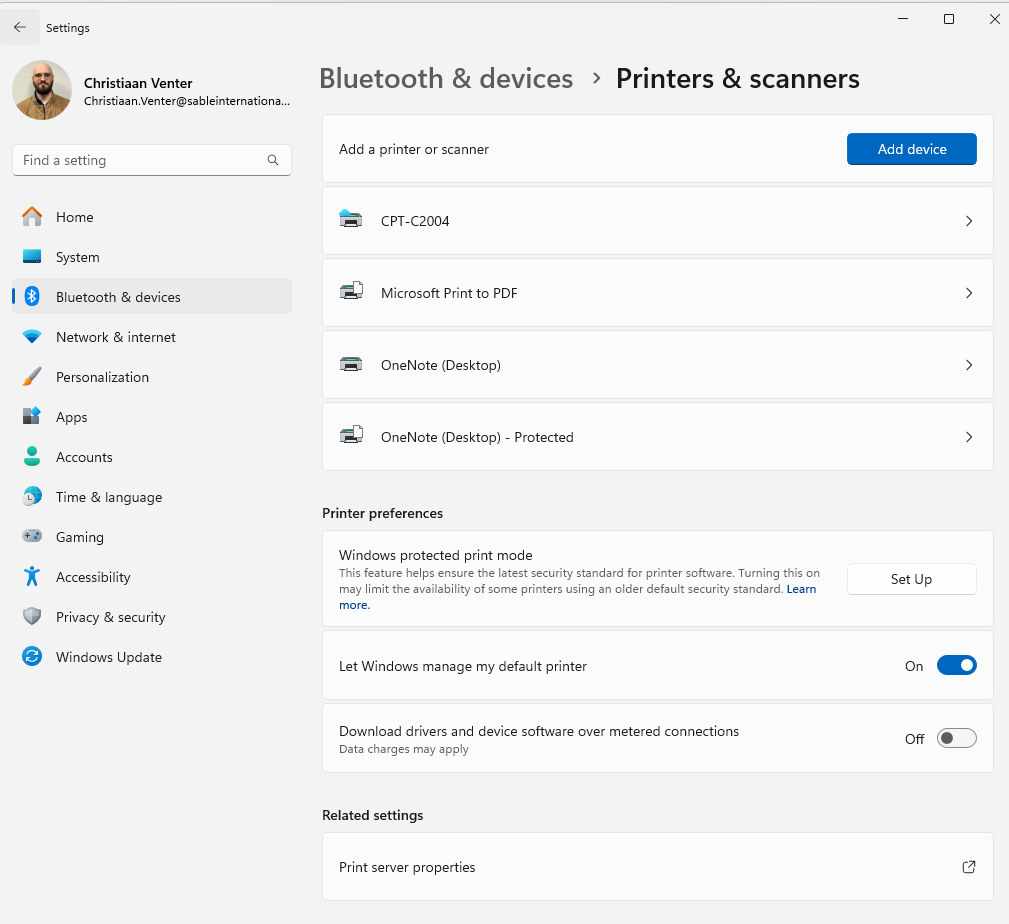
- Inside the Printers & Scanners, click "Add Device"
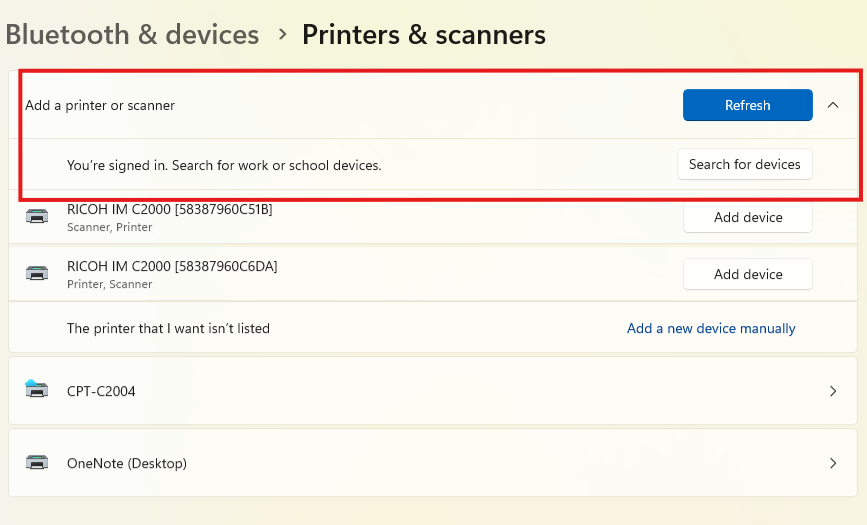
- It might take a few seconds to show up, click on "Search for devices"
-
"Work or School" devices (not USB devices)
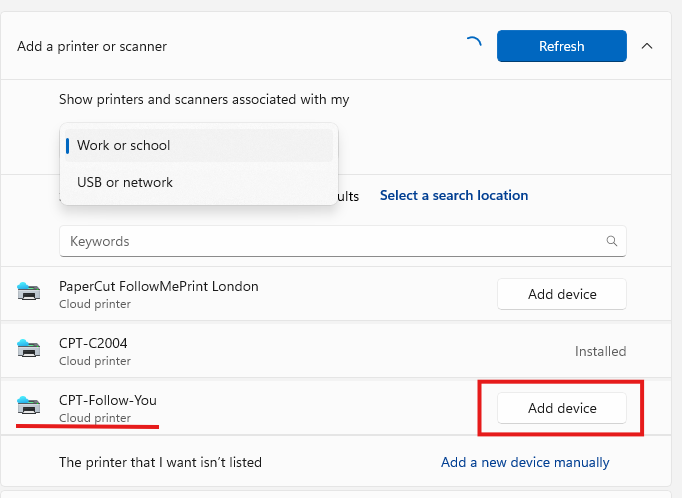
- Select the "Follow-You" printer for either CPT or London
- click "Add Device"
- The printer should now be listed, you may have to relaunch your Microsoft apps (Word, Excel, PowerPoint) to see the new printer
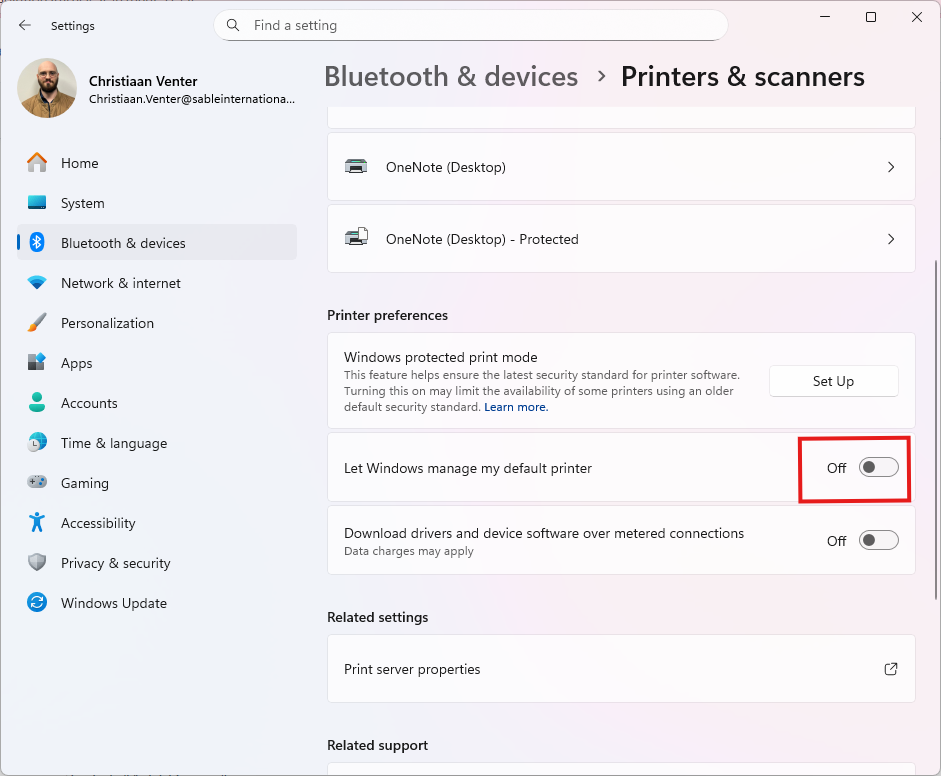
- Disable the following setting:
- Go to the newly added printer and select "set as default"
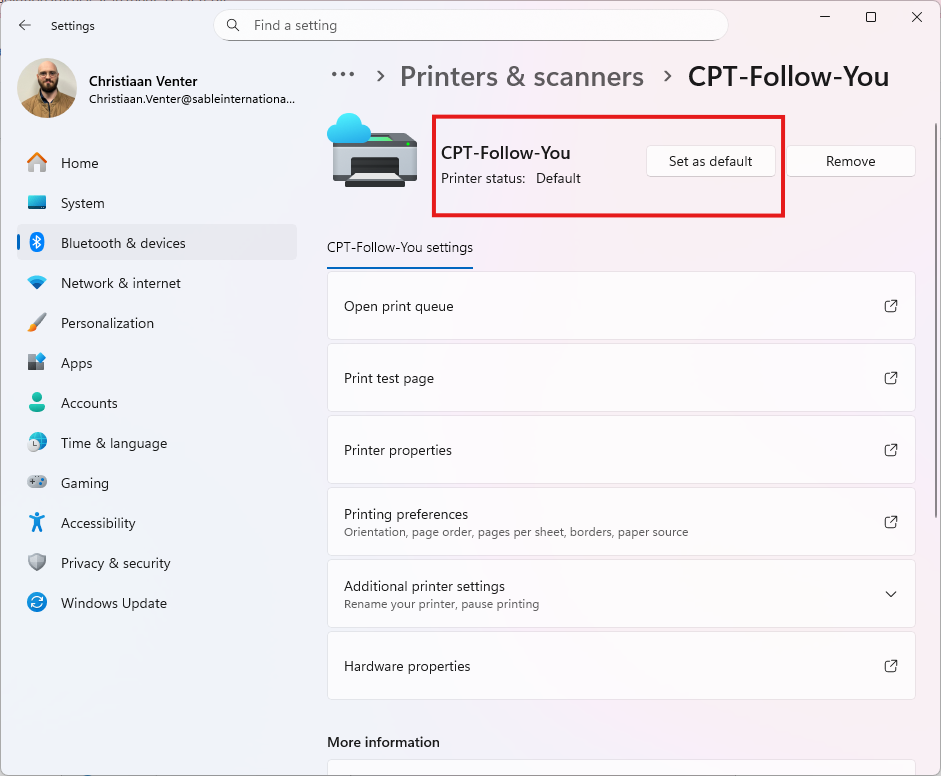
You should now have the new printer added to your account, and it set to the default setting for any print jobs.
If the printer does not show, then please raise a support ticket.
Was this article helpful?
That’s Great!
Thank you for your feedback
Sorry! We couldn't be helpful
Thank you for your feedback
Feedback sent
We appreciate your effort and will try to fix the article