Before you can share a booking (with clients), it must first be configured.
Go to Bookings: Bookings - Sable Test account - Outlook
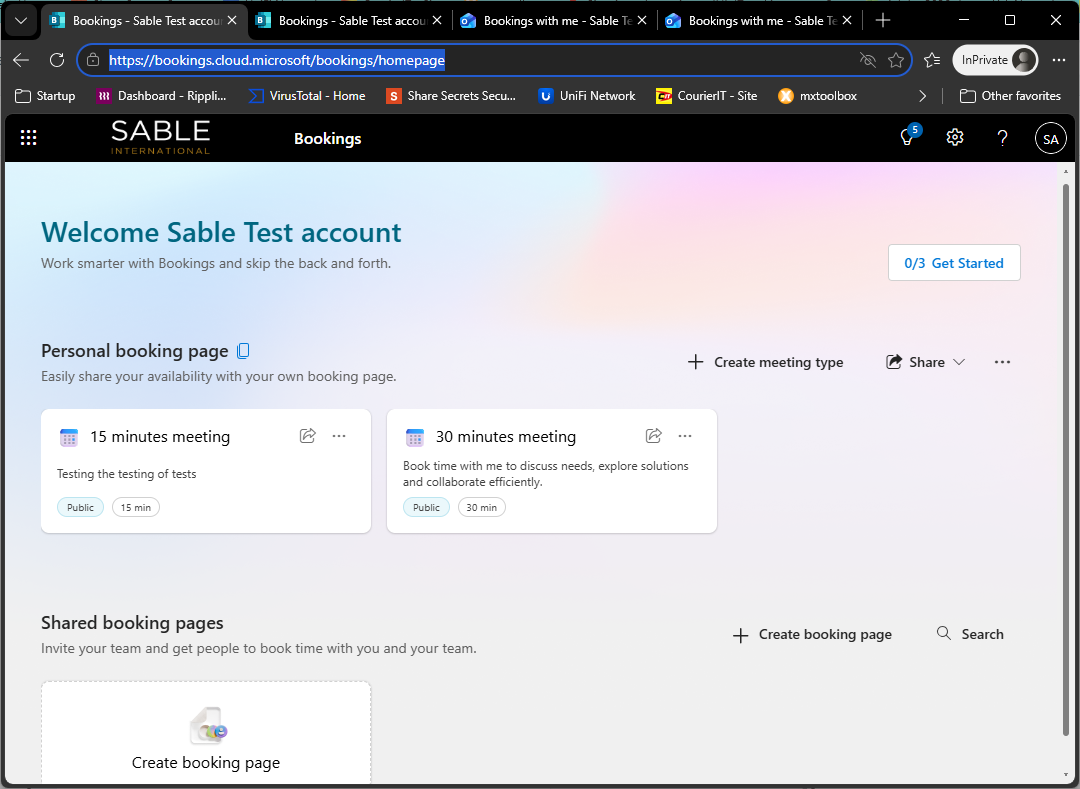
Select a meeting type:
- 15 Min
- 30 Min
- Custom (Create)
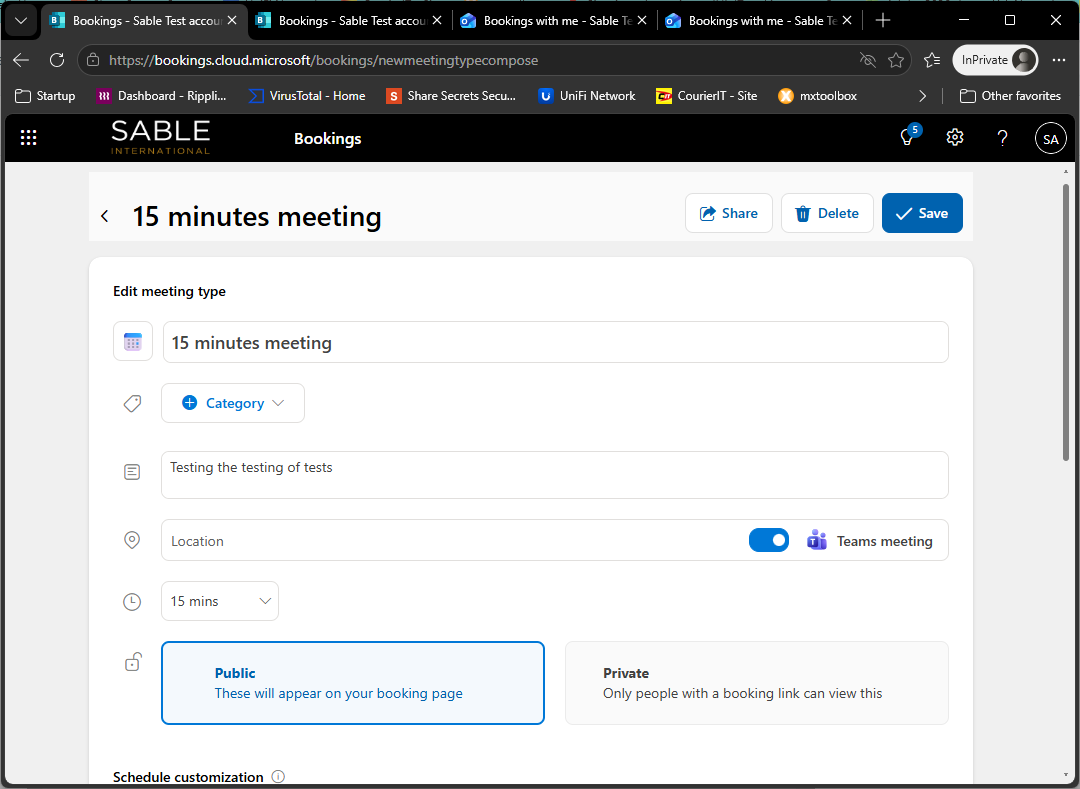
Inside the Meeting type:
- Set Public vs Private
- Location
- Days/Hours
Share this created meeting:
- Share link by email or copy
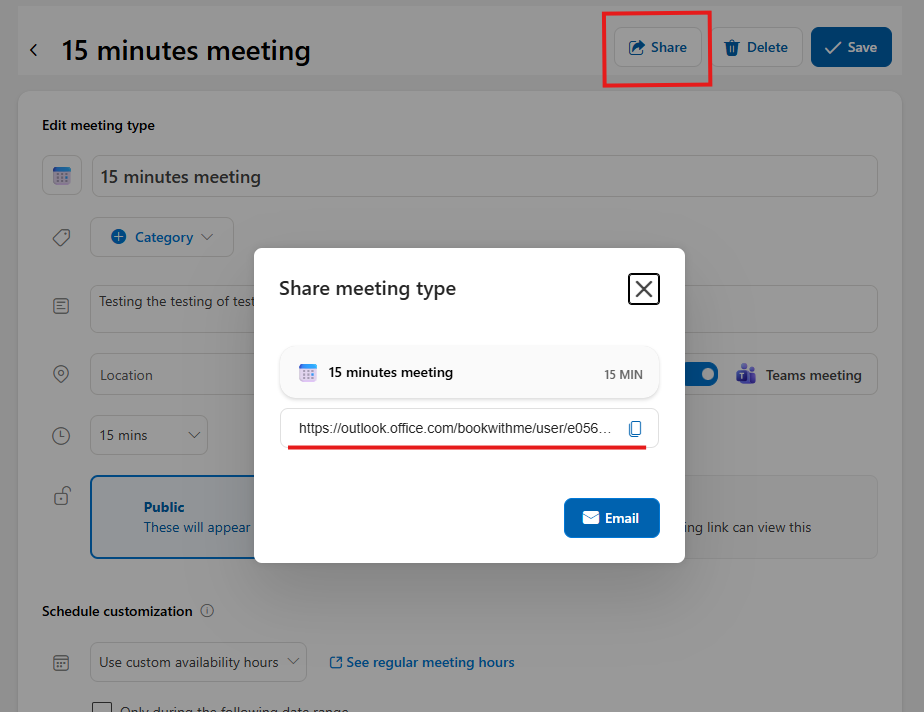
Completed, you can now share the meeting link with clients.
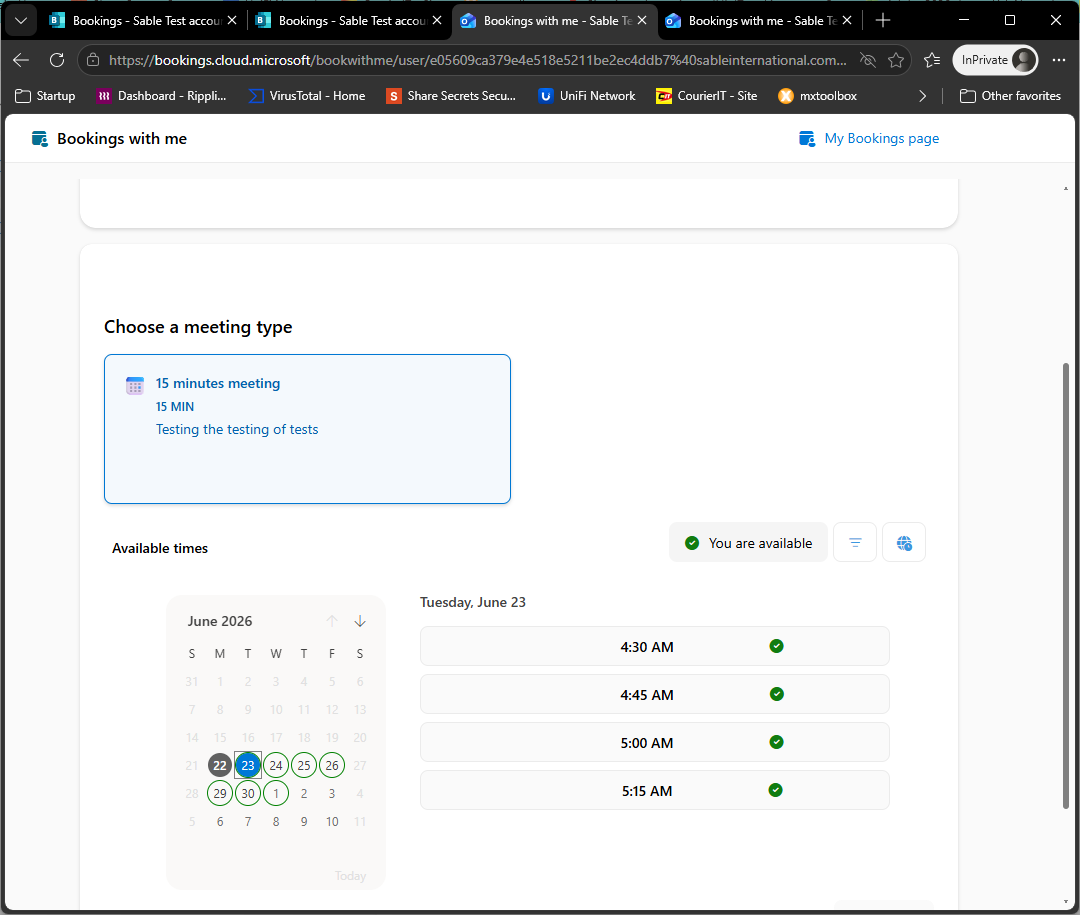
They can select a specific date/time available.
What clients see:
Was this article helpful?
That’s Great!
Thank you for your feedback
Sorry! We couldn't be helpful
Thank you for your feedback
Feedback sent
We appreciate your effort and will try to fix the article